Local SEO for restaurants begins with a simple test: can someone find your restaurant, see today's hours, understand the menu and complete the next action? For a Miami cafe, bakery or ventanita, correct information is useful before another promotional post. Start by checking your Google Business Profile against the website and ordering providers. Fix conflicting hours and broken links, then review photos and replies in the languages your team actually supports.
A customer should not need to call just to learn whether the kitchen is open. Make that answer easy to find, and make sure the people answering the phone give the same answer.
What customers see first on a restaurant profile
Open the public profile as a customer would, rather than starting in the management dashboard. Check the name, map pin, entrance, main hours, phone and website. Then follow the menu, order and reservation links that are visible to you. Note what each screen tells someone deciding where to eat.
Do the same on a phone. A menu that looks fine on your office monitor may require awkward zooming, while an order link may lead to the wrong location. Ask a staff member who did not build the website to complete the task without coaching.
Keep a short correction list: wrong fact, where it appears, who can change it, and what the correct value should be. This is more actionable than a general instruction to improve the profile. Use our NAP consistency guide when the name, address or phone differs across listings.
Hours, holidays and temporary closures
Separate regular opening hours from exceptions. Google offers special hours for holidays and brief schedule changes. Its current help distinguishes special hours from a temporarily closed status, which is used for longer or indefinite closures. Check the official instructions when deciding which setting fits; do not treat a post as a replacement for the hours field.
To set a holiday exception, open the profile's hours editor, choose Special hours, select the date, enter the schedule or mark it closed, and save. Then inspect the public result. Google's special-hours source below documents this sequence; labels can differ as the interface changes.
If breakfast service ends before the restaurant closes, explain that distinction wherever the relevant feature is available. Do the same for takeout or delivery schedules. Do not assume every restaurant has the same extra-hours options.
Example: a bakery can be open for pickup while its coffee window is closed. Label that clearly on its own site and confirm which separate hours Google supports for that profile. The aim is to prevent an unnecessary trip, not to fill every possible field.
Menu, dishes and attributes: where each one lives
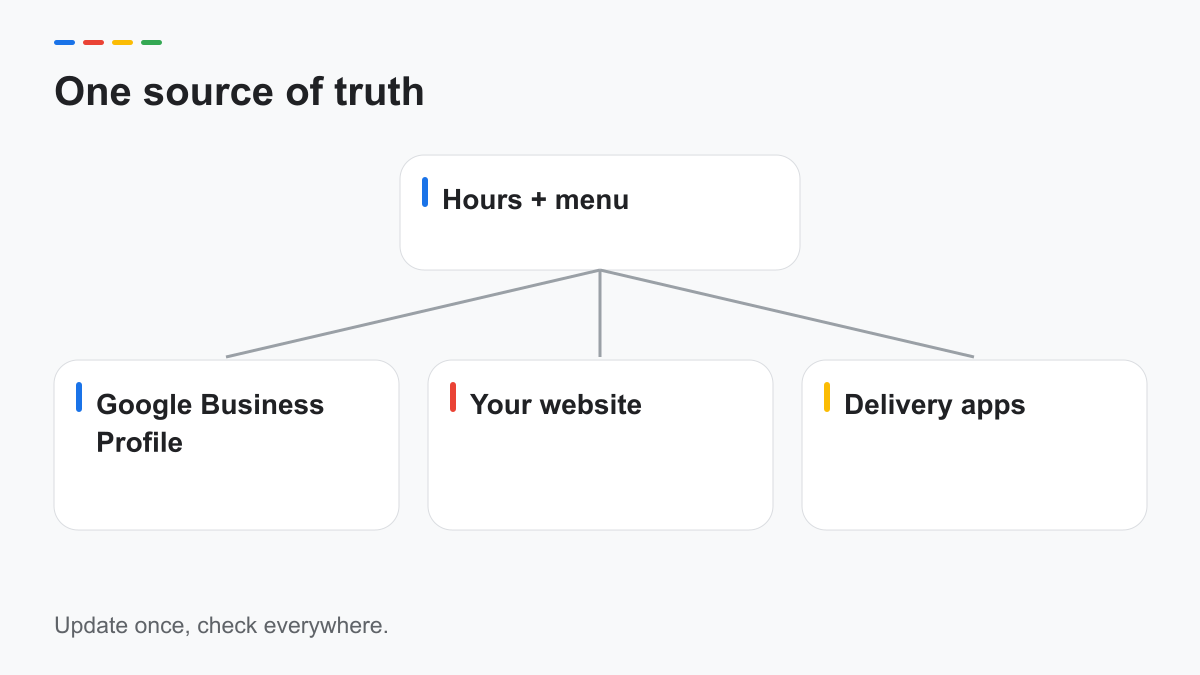
Keep an approved master menu with current dishes, prices and availability. Assign someone to update the customer-facing copies whenever the kitchen changes it. The diagram in this article shows a management workflow; it does not mean one edit automatically synchronizes every platform.
| Information | Google Business Profile | Website | Delivery apps |
|---|---|---|---|
| Regular and holiday hours | Edit the relevant hours fields | Update location and contact pages | Update each provider's operating schedule |
| Menu | Use supported menu editor, menu URL or menu images | Maintain a readable current menu | Change available items and provider-specific prices |
| Ordering | Inspect available provider and action links | Link to the correct ordering flow | Check location, availability and fulfillment |
| Reservations | Check supported reservation links | Explain the booking process | Update only where that provider handles bookings |
| Attributes | Select accurate available attributes | Explain details customers need | Check each provider's own supported fields |
Google's restaurant help documents menu editing, a menu URL and menu photos. Its attribute help explains that available choices vary by country and category. Review the options in your own editor instead of promising a universal menu or attribute feature.
Write dish explanations for someone unfamiliar with the food. Keep the original dish name when helpful, then explain ingredients or preparation in plain language. Confirm ingredient and dietary claims with the kitchen before publishing them. A translation should not turn a preparation detail into an unsupported allergen assurance.
Photos: what to show, who owns the rights
Show the entrance people need to recognize, the dining or pickup space, and dishes as customers receive them. For a ventanita, a photo of the actual window and approach can be more useful than another close-up of coffee.
Choose photos that still match the business. If seating changes, replace the old room image. If a dish is no longer offered, remove it from your active promotional collection. Avoid heavy edits that make portions or surroundings misleading.
Confirm permission for staff and customer images, and the rights to photographs supplied by a freelancer or social media creator. Being tagged in a photo does not establish that you can reuse it in advertising. Keep a record of who approved each image and its intended use.
The generated hero in this article is an editorial illustration, not a photograph of your restaurant. Use real business photography in the profile's own evidence of dishes, people and facilities.
Orders and reservations links without confusion
Give each action a clear destination. An Order button should lead to the correct branch and order type. A reservation link should explain availability and confirmation, rather than dropping the customer on a generic home page.
Test the full journey without completing a purchase: choose a dish, inspect pickup or delivery options, and confirm the location. For reservations, check whether the selected date, party size and contact information carry through as expected.
If Google displays a third-party provider you did not expect, review its management options and the provider's account. Do not assume removing a website link removes every provider link. Document which company controls each destination so staff know where to report errors.
Put a visible phone alternative on your own site for a broken booking flow. Say when calls are answered, and avoid describing WhatsApp or messaging as live support unless a team member reliably monitors it.
Replying to reviews in English and Spanish
Use the review's language as the starting point. A short reply in fluent Spanish is more useful than an English template that ignores the complaint. For mixed-language reviews, choose the clearest response or add a concise mirrored version when it helps.
The following are illustrative restaurant templates. Replace placeholders and check the review before posting. They acknowledge feedback without offering compensation or promising an outcome.
Positive — English
Thank you, [Name], for sharing your feedback. We appreciate your kind words and will share them with the team.
Positive — Español
Gracias, [Nombre], por compartir su opinión. Agradecemos sus palabras y las compartiremos con el equipo.
Negative — English
We're sorry the experience did not meet your expectations. Please call us at [phone] so we can hear more and review your concern.
Negative — Español
Lamentamos que la experiencia no haya cumplido con sus expectativas. Llámenos al [teléfono] para conocer más y revisar su comentario.
Wait-time complaint — English
Thank you for flagging the wait. Please call [phone] so we can understand what happened and review our process.
Wait-time complaint — Español
Gracias por comentarnos sobre la espera. Llame al [teléfono] para que podamos entender lo ocurrido y revisar nuestro proceso.
Rating without text — English
Thank you for your feedback. If you would like to add more detail, please contact us at [phone].
Rating without text — Español
Gracias por su opinión. Si desea compartir más detalles, comuníquese con nosotros al [teléfono].
Never tie a refund, free item or other help to changing a review. Google's Maps policy prohibits incentivized reviews. For a broader template library, see our review response examples.
A monthly routine that takes under an hour
Use a focused check, with an hour as a planning budget rather than a promise for every restaurant. Gather the current menu, holiday calendar and provider list before starting. A business with many locations or unresolved provider errors will need a larger session.
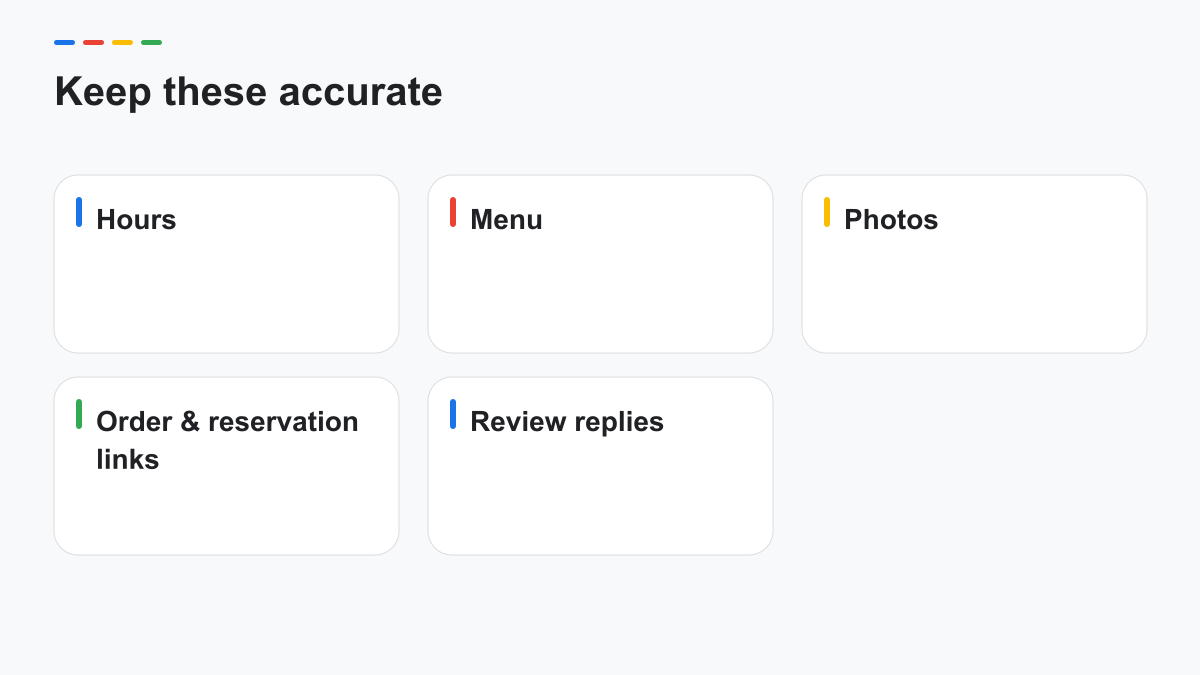
- Compare public hours with the manager's schedule.
- Check the next holiday and any planned closure.
- Compare menus with the kitchen's approved version.
- Test order and reservation destinations.
- Review attributes and remove outdated claims.
- Replace misleading or obsolete photos.
- Review unanswered feedback and assign follow-up.
Keep repairs separate when a provider issue needs support. Otherwise the monthly check becomes an open-ended project and stops happening. Record the correction and verify the public result after it is processed.
Posts can explain a real seasonal dish or event after the core information is correct. Our ideas guide can help with that task: our Business Profile post ideas. Posting frequency alone is not a confirmed ranking promise.
For coordinated restaurant profile and website work, see our Miami local SEO page.
Frequently asked questions
How do I set special hours for holidays?
Use the profile's hours editor and Special hours to select the date and enter the exception. Save it and check the public result; use Google's current help if your interface labels differ.
Where should my menu live?
Keep a current, readable version on your website and review the menu options available in your profile. Ordering providers need their own accurate copies; a website edit does not necessarily update them.
Can I answer reviews in two languages?
You can write a concise bilingual reply when it helps the reader. Usually the reviewer's language is the clearest choice, and every translation should be reviewed before posting.
Sources
- Google — Restaurant profile guide: support.google.com/business/answer/14189260
- Google — Special hours: support.google.com/business/answer/6303076
- Google — Business hours: support.google.com/business/answer/15300403
- Google — Attributes: support.google.com/business/answer/9049526
- Google — Manage reviews: support.google.com/business/answer/3474050
- Google — Review tips: support.google.com/business/answer/3474122
- Google — Business representation: support.google.com/business/answer/3038177
- Google Maps — Content policy: support.google.com/contributionpolicy/answer/7400114
Sources checked October 12, 2026.
Want a second look at your profile?
We flag public inconsistencies in hours, menus, links and replies and respond in one business day. Send only the public Google Maps link. No account access is required, and our bilingual team works remotely.
Request free audit →